I just updated my get-userandpolicy script at the Technet Gallery (here)
This version of the script can edit the assigned policy of multiple users with a few simple clicks.
Here is an example of how I edited my own voice policy in our demo system:
First I run the .\get-userandpolicy.ps1 -changepolicy -voice policy:

Next, i am presented with a gridview of all my voice enabled users, and I selected two of them:
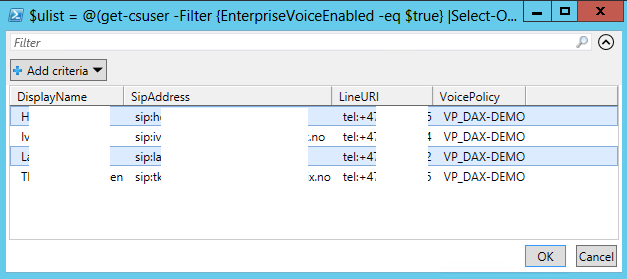
After selecting my users, I press ok. Next I am presented with a new gridview. This time with all my policies:

I selected the policy I wanted to switch to, and pressed ok. Then, watch the verbose output:

In the end, I ran the script again, but with the -listuser switch, to verify the change was executed:

Hope you find my script ant tool useful. Please let me know if you find any bugs or have any suggestions on improvements.
This version of the script can edit the assigned policy of multiple users with a few simple clicks.
Here is an example of how I edited my own voice policy in our demo system:
First I run the .\get-userandpolicy.ps1 -changepolicy -voice policy:
Next, i am presented with a gridview of all my voice enabled users, and I selected two of them:
I selected the policy I wanted to switch to, and pressed ok. Then, watch the verbose output:
In the end, I ran the script again, but with the -listuser switch, to verify the change was executed:
Hope you find my script ant tool useful. Please let me know if you find any bugs or have any suggestions on improvements.
Comments