New Copilot Updates for Outlook Scheduling, Word Agent Mode, and PowerPoint Agent Mode

Microsoft has announced Copilot enhancements across Outlook, Word, and PowerPoint that improve scheduling, document creation, and presentation building. Here is a summary of some of the features I think can come in handy. Be aware that timelines may change as deployments progress, some of these have already been pushed back a couple of months. All of the following features requires a Microsoft 365 Copilot license, and will be enabled by default for users with such a license. Automatic rescheduling of 1:1 meetings Automatic rescheduling of flexible 1:1 meetings and personal events in Outlook with Copilot, helping users resolve conflicts with minimal manual effort is coming soon. This will be in addition to the already released auto rescheduling of meeting rooms. Originally this feature was planned for mid‑November 2025 to mid‑January 2026, but is now hopefully coming between to mid‑February 2026 and the end of February 2026. A Microsoft Copilot license is required to use the capability....

Microsoft Authenticator lite generally available

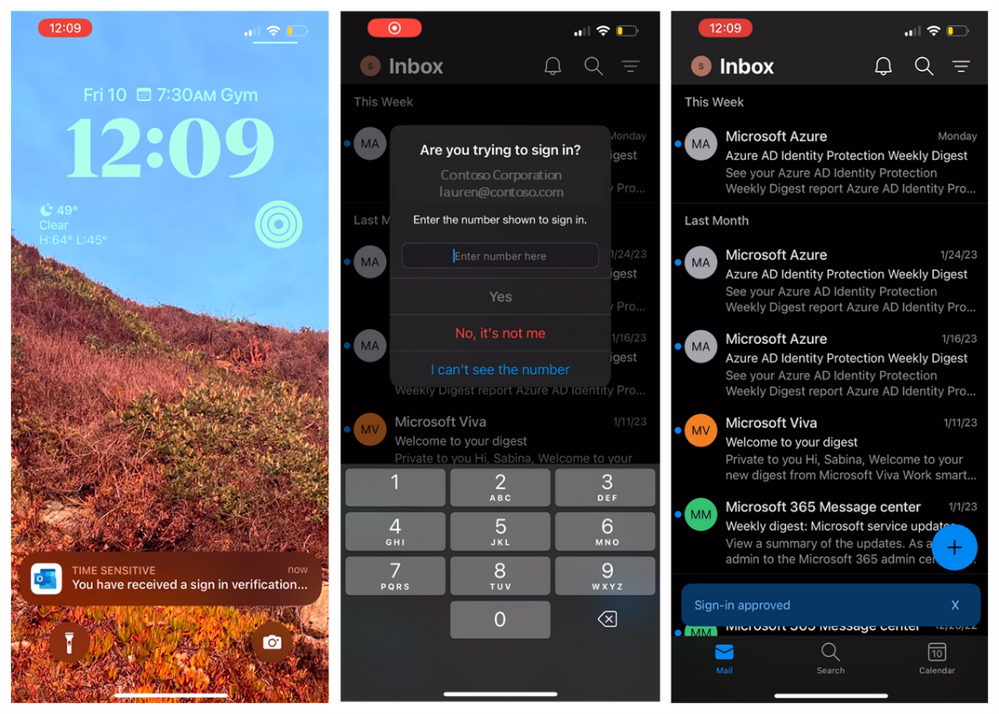
Microsoft Authenticator Lite has been made generally available (post). This is a feature allowing Microsoft Outlook to work as the authenticator app for a user. This is a nice feature for users who are not using MFA, or maybe still use SMS MFA for their login and don't want to install the authenticator app for some reason.

I would of course, recommend to use the authenticator app itself, but admit this can simplify things for users. The feature isn't "brand new", but it has not been supported for the legacy "per user mfa" a lot of organizations are still using. 

If you do not want this new feature available to users, you would have to turn it off, as it seems it will automatically made available to everyone. There is a good description of how to do so in this article. This will be rolling out from late september and for a couple of weeks.